Your mailbox.org,
as a real Mac app
MBOMail wraps mailbox.org into a native macOS application with deep system integration, privacy protection, and the keyboard shortcuts you expect.
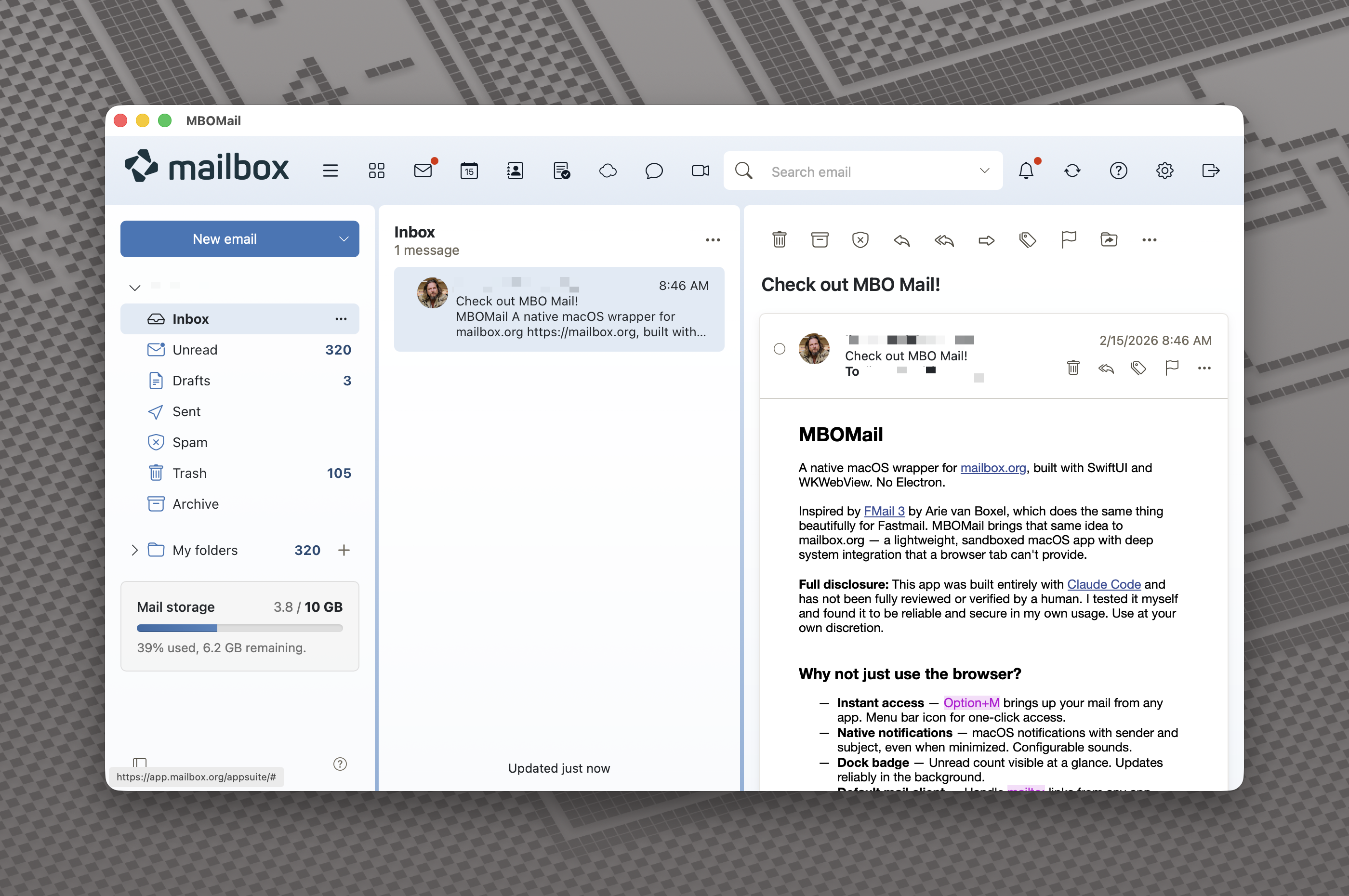
MBOMail wraps mailbox.org into a native macOS application with deep system integration, privacy protection, and the keyboard shortcuts you expect.
All the mailbox.org features you love, with the native macOS integration you've been missing.
Use multiple mailbox.org accounts side by side. Each account gets its own isolated session — cookies, logins, and data are fully separated.
Set a global keyboard shortcut to toggle MBOMail from anywhere, or click the menu bar icon. Your inbox is always one gesture away.
Get macOS notifications when new mail arrives — with sender and subject — even when the app is minimized or hidden.
Built-in protection against email tracking pixels and third-party cookies. Browse your inbox privately, without add-ons.
See your unread count at a glance on the Dock icon, so you always know when new messages are waiting.
Inject your own CSS to customize the look and feel of mailbox.org. Make it yours with custom themes and tweaks.
Set MBOMail as your default email client. Clicking mailto: links anywhere on your Mac opens a compose window right in MBOMail.
Full dark mode support that follows your macOS system appearance, or set it manually from the View menu.
Hover over any link to see where it actually goes. Shortened URLs are automatically expanded so you can verify before clicking.
Configure a global hotkey to bring up your inbox instantly, no matter what app you're in. The menu bar icon shows your unread count and lets you toggle the window with a single click. You can also set MBOMail to hide automatically when you switch to another app — it stays out of your way until you need it.
Inject custom CSS to restyle the interface, block distracting elements, or build an entirely new look. MBOMail also supports custom JavaScript for power users who want to extend the functionality even further. Settings are organized in clear tabs for General, UI, Shortcuts, and Advanced options.
The Dock icon badge shows your unread count without you having to open the app. Native macOS notifications display the sender and subject of new messages as they arrive, so you never miss anything important — even when MBOMail is in the background.
 3
3
Free and open source. Requires macOS 15 or later.
Download DMG v1.1.0View all releases and changelog on GitHub Releases.